
Search for the best trading journal app, and you’ll notice something odd: many of the top results are written by journal companies that rank their own app first. That makes an honest comparison harder to find, just as more people are trading stocks, crypto, and prediction markets from their phones. Here’s a plain-English guide to what a trading journal is, why it helps, and our ranking of seven apps by what they actually cost you per year.
Trading App Vs Trading Journal App: What’s The Difference?
A trading app is where you buy and sell. Robinhood, Webull, Coinbase, and Interactive Brokers are all trading apps. They hold your money, show prices, and execute your orders. They’ll show your gains and losses, but they rarely explain why you made or lost money.
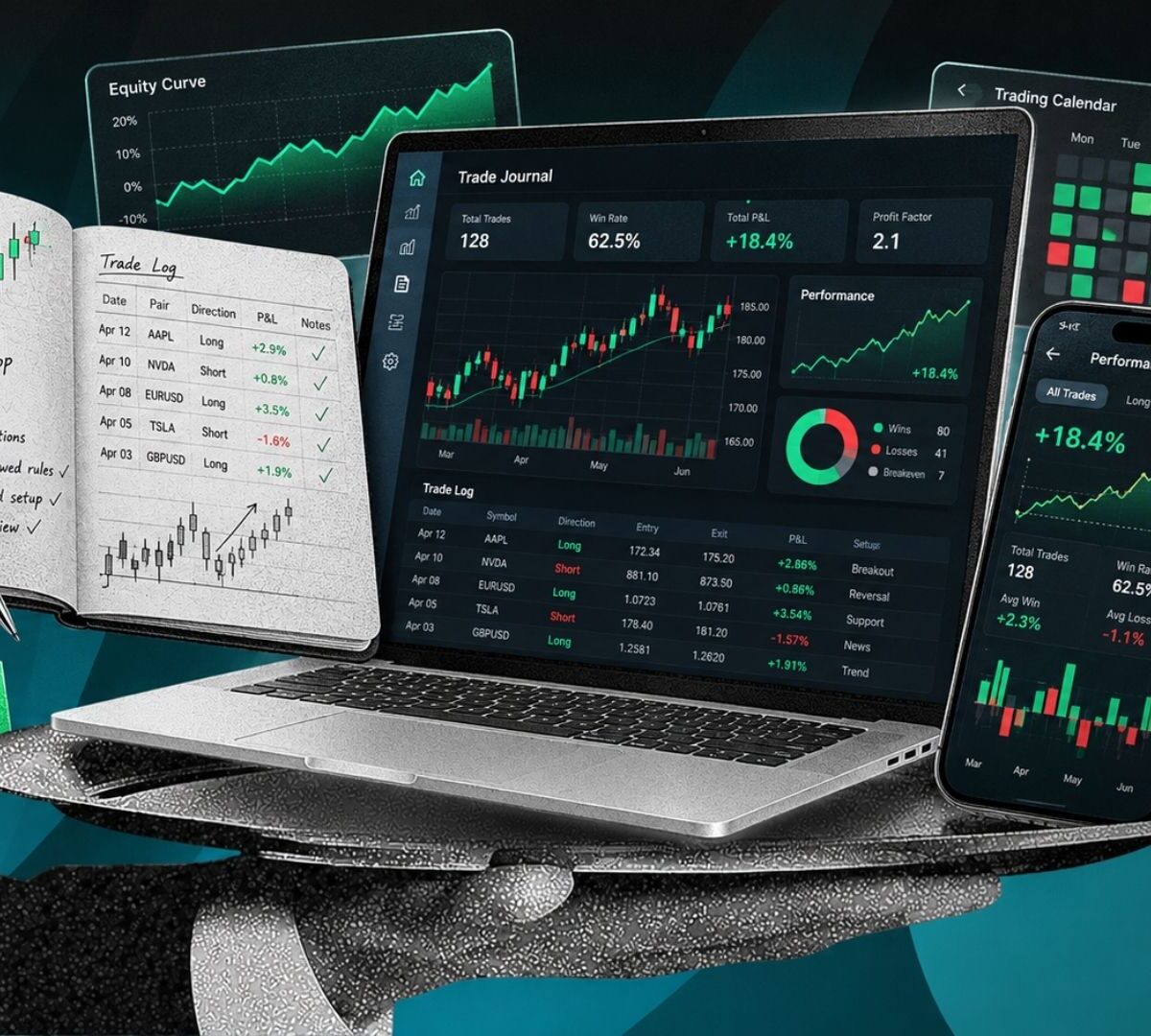
A trading journal app is where you review. It imports your trades, often automatically from your broker, and turns them into stats and charts. You can add notes on why you entered a trade, how you felt, and what strategy you used. Think of the trading app as the car and the journal as the dashcam plus the mechanic’s report.
| Trading app | Trading journal app | |
|---|---|---|
| Main job | Place and hold trades | Record and analyze trades |
| Holds your money? | Yes | No |
| Shows profit and loss? | Yes, per account | Yes, broken down by setup, time, and habit |
| Explains why you won or lost? | Rarely | That’s the whole point |
| Examples | Robinhood, Webull, Coinbase | TradesViz, Edgewonk, TradeZella |
Some brokers have added basic journaling, and AI tools are pushing deeper into personal finance, as we saw when AI agents started competing for brokers’ idle cash. But a broker’s built-in stats are designed to keep you trading, not to question your decisions. A separate journal has no reason to flatter you.
Why A Trading Journal Helps
Most traders remember their wins and forget their losses. A journal fixes that bias with data. Here are the numbers a good journal should show you, explained simply:
- Win rate: The share of your trades that make money. On its own, it’s misleading.
- Average win vs average loss: How much you make when you’re right compared with how much you lose when you’re wrong.
- Expectancy: What you can expect to make or lose per trade, on average. This is the single most useful number.
- Profit factor: Total profits divided by total losses. Above 1 means you’re making money overall.
- Max drawdown: Your biggest drop from a peak, which shows how painful a bad streak can get.
- MAE and MFE: Maximum Adverse Excursion (how far a trade went against you) and Maximum Favorable Excursion (how far it went in your favor). These reveal whether your stops are too tight or you’re exiting winners too early.
A Quick Example: Why Win Rate Lies
Say you win 60% of your trades. Sounds great. But your average win is $100, and your average loss is $180.
Your expectancy is (0.6 × $100) − (0.4 × $180) = $60 − $72 = −$12 per trade.
You’re right more often than you’re wrong, and you’re still losing money. Over 200 trades, that’s about $2,400 gone. Without a journal, most traders in this spot would swear their strategy works. With one, the problem is obvious in a single number, and the fix (cutting losers sooner) becomes clear.
A journal also catches behavior. Tags like “FOMO” (fear of missing out) or “revenge trade” (jumping back in to win back a loss) show how often emotions drive your decisions. It flags oversized positions too, which matters even more with leverage. We saw how fast that can go wrong when $2 billion in Bitcoin leverage piled up near a key price.
This is information, not financial advice: a journal won’t make you profitable, but it will show you clearly what you’re doing.
The Problem With Most “Best Trading Journal” Lists
Here’s something worth knowing before you trust any ranking, including ours. When we looked at the top search results for this topic, a large share were published by journal companies themselves, and almost every one ranked its own product first. Several used their own pricing pages as the main source for competitors, which often makes rivals look worse.
That doesn’t mean those lists are useless. But it does mean you should check three things yourself:
- Who published the list? If it’s a journal company, read it as marketing.
- Is the price annual or monthly? Many lists quote the cheaper annual rate as if it were monthly.
- What’s locked behind higher tiers? A “cheap” plan that hides replay or AI behind a paywall can end up costing more.
We have no stake in any of these apps. Our ranking is based on each company’s current published pricing and features, weighed against what a typical retail trader actually needs.
How We Scored Them
We rated each app from 1 to 5 in five areas, then averaged the scores:
- Value: What you get for the yearly price, including the free plan
- Ease of use: How quickly a beginner can get useful insights
- Analysis depth: Stats, AI tools, replay, and psychology tracking
- Import: How easily trades get in, from auto-sync to file uploads
- Market coverage: Stocks, options, futures, forex, and crypto
The True Cost Over One And Three Years
Most traders keep the same journal for years, because moving your trade history is a hassle. So we looked past the monthly price.
| App | Free plan? | Cheapest useful plan | 1-year cost | 3-year cost |
|---|---|---|---|---|
| TradeNote | Free (self-hosted) | Free | $0 | $0 |
| StonkJournal | Yes, unlimited trades | Pro, $10/month | $120 | $360 |
| TradesViz | Yes, stocks only | Pro, $14.99/month billed yearly | ~$180 | ~$540 |
| Edgewonk | No (14-day refund) | One plan, $197/year | $197 | $591 |
| TraderSync | No (7-day trial) | Pro, $269.52/year | ~$270 | ~$809 |
| TradeZella | No | Essential, $26/month billed yearly | $312 | $936 |
| Tradervue | Yes, limited | Silver, $29.95/month | ~$359 | ~$1,078 |
The gap is bigger than it looks. Over three years, Tradervue’s Silver plan costs about twice as much as TradesViz Pro. Edgewonk also offers a lifetime price lock, so your $197 rate shouldn’t rise later.
1. TradesViz: Best Overall Value

- Price: Free (stocks only, one account, up to 3,000 executions a month); Pro at $19.99 a month or $14.99 a month billed yearly (~$180); Platinum at $29.99 ($22.49 yearly)
- Markets: Stocks, options, futures, forex, crypto, and CFDs on paid plans
- Import: 250+ supported brokers, with 70+ that sync automatically
- Standouts: An AI Coach that runs up to 21 checks and ranks findings by dollar impact, plain-English AI questions about your trades, MAE/MFE tracking, a trading simulator, and iOS and Android apps
What we like: No other app here packs this much analysis into a sub-$200 plan. The AI Coach ranking problems by how much money they cost you is smart, because it tells you what to fix first instead of burying you in charts. Options traders also get rare extras like multi-leg strategy testing and options flow data on higher tiers.
What we don’t: The interface is dense. With 600+ stats on the top tier, beginners can easily drown in numbers and miss the two or three that matter. The free plan is also stocks-only, so crypto and futures traders have to pay from day one.
TradesViz is the best pick for traders who want depth without paying premium prices. If you’re new, start on the free plan, pin expectancy and profit factor to your dashboard, and ignore everything else for the first month. Check TradesViz’s current pricing before you subscribe, since promotions change often.
2. Edgewonk: Best For Fixing Trading Psychology

- Price: $197 a year, one plan, with a 14-day money-back guarantee and a lifetime price lock
- Markets: Forex, stocks, futures, crypto, options, and commodities
- Import: 200+ brokers with automatic imports
- Standouts: “Edge Finder” that scans your journal for your strongest and weakest patterns, a Trade Management Optimizer that tests smarter exits, mistake tracking, trade checklists, and a built-in diary
What we like: Edgewonk is built around one idea: most traders don’t lose because of bad strategies, they lose because they don’t follow them. Its tools connect your rule-breaks and emotions directly to your results, so you can see that, for example, trades taken after breaking a rule lose money while the rest are profitable. That kind of feedback is uncomfortable and extremely useful.
What we don’t: You have to pay for a full year up front, and there’s no free plan, only a refund window. It also lacks the tick-by-tick chart replay that TradeZella and TraderSync offer.
If you already know your strategy works on paper but your account says otherwise, Edgewonk is the most direct fix on this list. The flat price also makes it the easiest to budget for.
3. TradeZella: Best For Beginners Who Want Polish

- Price: Essential at $35 a month, or $26 a month billed yearly ($312); Pro at $59 ($44 yearly); Ultra at $99 ($74 yearly)
- Markets: Stocks, options, futures, forex, and crypto, with 500+ broker and prop firm integrations
- Standouts: Clean design, strategy “playbooks,” tick-by-tick trade replay, prop firm rule alerts, mentor mode for sharing trades with a coach, and built-in lessons
What we like: TradeZella is the journal people actually enjoy opening, and that matters more than any feature list. A journal you avoid is worthless. It’s also the strongest pick for prop firm traders (people who trade a firm’s money after passing a challenge), with real-time alerts when you’re close to breaking a firm’s rules.
What we don’t: It’s the most expensive “starter” plan here, with no free tier. The Essential plan also leaves out trade replay and AI backtesting, and its AI runs on monthly credits (500 on Essential), so heavy AI users get pushed toward Pro at $528 a year.
Pick TradeZella if design and guidance will keep you journaling, or if you trade funded accounts. If you’re price-sensitive, TradesViz gives you more analysis for less.
4. TraderSync: Best For Broker Coverage And Replay

- Price: Pro at $29.95 a month or $269.52 a year; Premium at $49.95 ($449.52 yearly); Elite at $79.95 ($719.52 yearly); 7-day free trial
- Markets: Stocks, futures, options, forex, and crypto
- Import: 700+ brokers and trading platforms
- Standouts: Cypher AI insights, market replay down to 250-millisecond detail on Elite, Level II data, and apps for iOS and Android
What we like: If you use a niche broker, TraderSync is the most likely to support it. Its market replay is also one of the best ways to practice: you can replay a past trading day and test how you’d handle it without risking money.
What we don’t: The pricing ladder is steep, and the Pro plan’s limits feel tight. You get five Cypher AI messages a day and only 1-minute replay detail, so serious users end up on Premium or Elite.
TraderSync suits active day traders who want replay and wide broker support, and who’ll actually use the higher tiers. Casual traders will pay for features they don’t need.
5. StonkJournal: Best Budget Pick

- Price: Free plan with unlimited trades and accounts; Pro at $10 a month ($120 a year)
- Markets: Stocks, options, futures, forex, crypto, and indices
- Standouts: An offline-first app that works on your phone without a connection, an AI Coach that flags habits like overconfidence after wins, and plain-English questions about your trades
What we like: The free plan is the most generous here, with no trade limits and full analytics. Pro at $10 a month is the cheapest paid plan on our list by a wide margin.
What we don’t: Broker file imports (CSV uploads) are a Pro feature, so on the free plan you’ll enter trades yourself. There’s also no direct automatic sync like TradesViz or TraderSync offer; even on Pro, you upload your broker’s export files.
StonkJournal is ideal if you trade a few times a week and don’t mind a little manual work. If you trade dozens of times a day, the time you spend importing will cost more than a pricier app with auto-sync.
6. Tradervue: Best For Sharing Trades With A Community

- Price: Limited free plan with a monthly trade cap; Silver at $29.95 a month; Gold at $49.95
- Markets: Stocks, options, futures, and forex
- Import: 80+ trading platform integrations, including Interactive Brokers and DAS Trader
- Standouts: Mature reports, exit analysis that compares what you made with what you could have made, TradingView charts on every trade, and a community for sharing trades and getting feedback
What we like: Tradervue has been around for well over a decade and claims more than 200,000 registered traders. Its reports are reliable, and the trade-sharing community is useful if you learn best from feedback.
What we don’t: It has no AI tools, the design feels dated, and it doesn’t support crypto. At about $1,078 over three years for Silver, it’s also the priciest option for what you get.
Tradervue makes sense for stock and futures day traders who value its community and proven reports. Everyone else will find better value elsewhere.
7. TradeNote: Best Free, Private Option

- Price: Free, open-source under the GPL v3 license (its code is public and free to use or change)
- How it works: You install it yourself with Docker, a tool that runs software in a self-contained package on your computer or a server
- Standouts: Your trade data never leaves your machine, and an active community keeps adding broker support
What we like: No subscription, no data sharing, and no company that can raise prices or shut down your account. TradeNote on GitHub has close to 1,000 stars and regular updates, which is a good sign for a free project.
What we don’t: Setup takes some technical comfort, and there’s no customer support beyond Discord and GitHub. If you want access from anywhere, you’ll need to host it on a server, which can cost a few dollars a month.
TradeNote is perfect for privacy-minded or technical traders. If “Docker” sounds intimidating, start with TradesViz’s or StonkJournal’s free plan instead.
Which One Should You Pick?
| If you are… | Our pick | Why |
|---|---|---|
| A beginner trading stocks | TradesViz (free) | Real analysis at no cost |
| A crypto trader | TradesViz or Edgewonk | Both cover crypto at a reasonable price |
| An options trader | TradesViz | Multi-leg analysis and options tools |
| A prop firm trader | TradeZella | Live alerts for firm rules |
| A day trader with a niche broker | TraderSync | 700+ broker integrations |
| An occasional swing trader | StonkJournal | Generous free plan, fine with manual entry |
| Struggling with emotional trades | Edgewonk | Built around discipline and psychology |
| Privacy-focused or technical | TradeNote | Free, and your data stays with you |
Options traders in particular benefit from a journal, because outcomes depend on timing and expiry dates, not just price direction. Big market events like a large Bitcoin options expiry can shift results fast, and a journal helps you see how your trades behave around them.
How To Get Real Value From Any Trading Journal
The app matters less than the habit. Here’s a simple routine we’d suggest for beginners:
- Tag every trade with just three things: the setup (why you entered), whether you followed your plan (yes or no), and your mood (calm, rushed, or frustrated).
- Do a 20-minute weekly review. Look only at expectancy, profit factor, and your worst three trades.
- Find one leak, fix one leak. Pick the single biggest money-losing pattern and set one rule to stop it next week.
- Check monthly whether your rules are working. If trades where you followed your plan beat trades where you didn’t, you’ve found your edge.
Reviewing your trades once a week beats a $300 subscription you never open.
FAQs
Can I use a spreadsheet instead of a trading journal app?
Yes, and many traders start that way. A spreadsheet is free and flexible, but you’ll enter trades by hand and build your own charts. Apps save time with auto-import and analysis. If you trade a few times a month, a spreadsheet is fine; if you trade daily, an app pays for itself in hours saved.
Do trading journals help with taxes?
They help organize your records, but they’re not tax software. You’ll still need proper tax tools or an accountant, especially for crypto. Rules keep changing, too, such as the proposed crypto wash-sale and mining tax bills in Congress, which could change how losses are counted.
Can I journal prediction market trades?
Most journals don’t support prediction markets automatically yet, so you’d log them manually or in a spreadsheet. That’s worth doing, since patterns repeat there too, like the same $5,499 trade showing up in Kalshi’s crypto volume.
Is it safe to connect my broker to a journal app?
Most journals use read-only connections, so they can see trades but not move money. Still, check permissions, use two-factor login, and avoid apps that ask for withdrawal access.
What should I write in a trading journal?
At minimum: why you entered, your planned exit and stop, position size, and how you felt. After the trade, add what happened and one lesson. Over time, those notes reveal patterns numbers alone miss, like trading worse after a big loss.